 KeaClip
Save a video. Cut the good bit. Send it.
KeaClip is a free Windows app for video clips. Paste a link to save it, trim it to the part that matters, and shrink it to fit Discord or email in one click.
Free · for Windows 11 · No ads, no account, no tracking
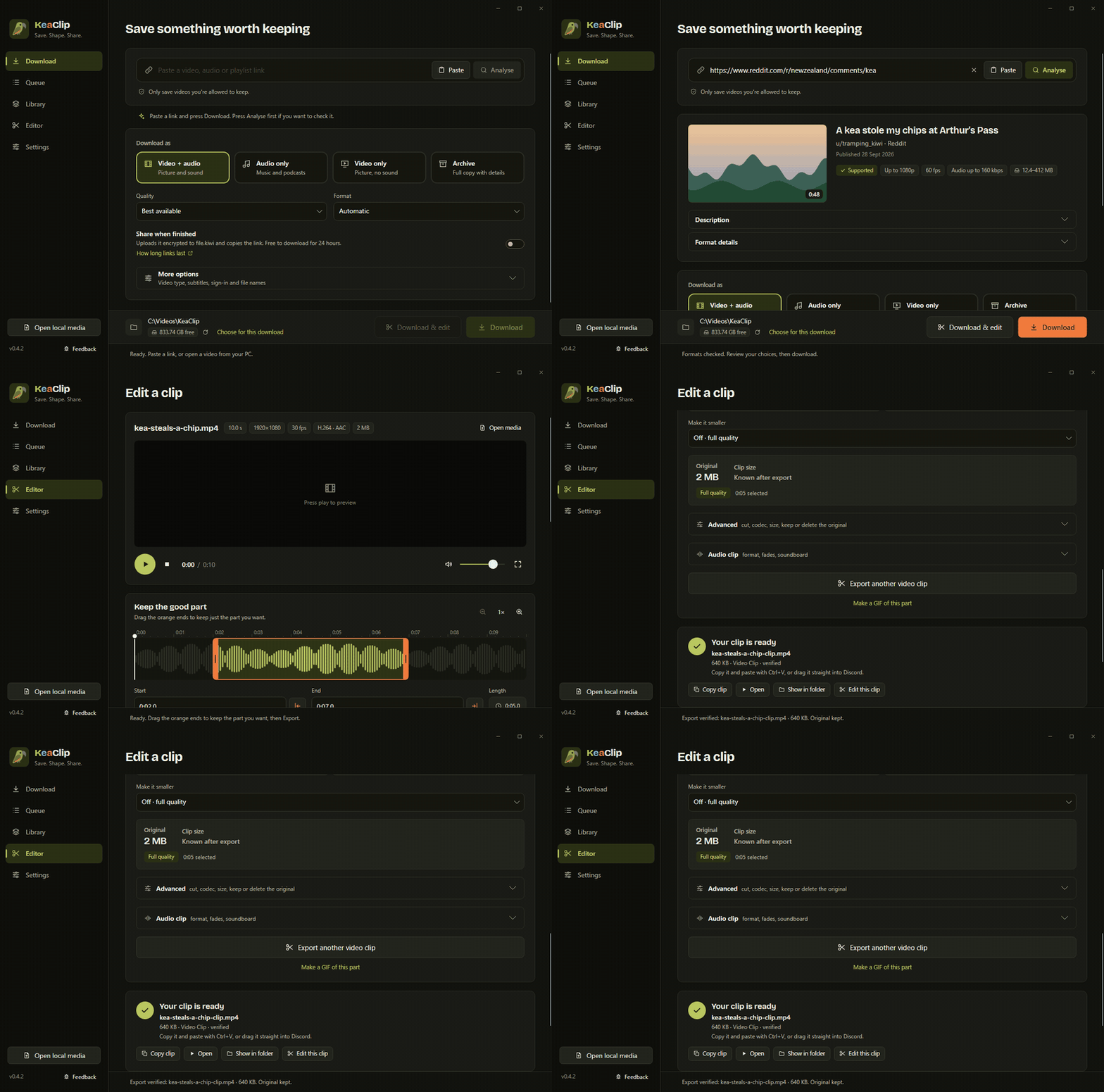
Three steps, no fuss
Everything happens on your PC. Your original file is kept unless you say otherwise.
Save
Saw something worth sharing? Paste the link from Reddit, X, Twitch, YouTube or hundreds of other sites. Get the video, just the sound, or only the part you want.
Shape
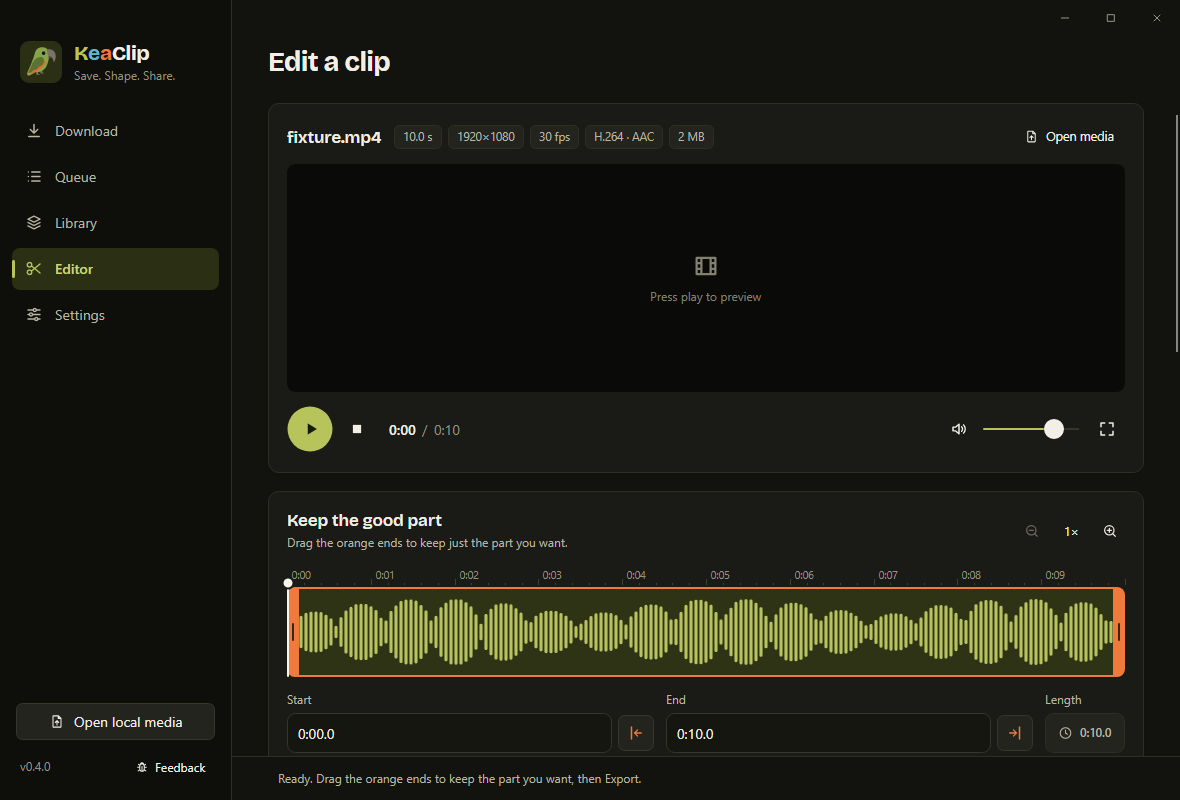
Drag the orange ends to keep the good bit. Make it smaller, pull out the audio, or turn it into a GIF.
Share
One click fits a clip under Discord's or email's limit. Press Copy clip and paste it straight into the chat, or send a private link that stops working after a day.
Made for game clips
KeaClip spots new recordings from Xbox Game Bar, NVIDIA, AMD and OBS in your Videos folder, so your best moment is one click away.
- Open your latest clip straight from the Editor
- Trim it with a smooth, frame-accurate timeline
- Fit for Discord makes it small enough to play right in the chat
- Runs quietly in the background while you play
Questions
Is it really free?
Yes. No trial, no watermark, no ads, no account. It's open source under the GPL. If it helps you, you can leave a tip on Ko-fi, but you never have to.
Windows says "Windows protected your PC". Is it safe?
That warning shows for new apps that aren't code-signed yet. Click More info, then Run anyway. The full source code is public, and every download comes with a checksum so you can check the file wasn't changed.
What does it download when it first starts?
A few free helper tools that do the heavy lifting: yt-dlp (reads video links), FFmpeg (cuts and converts) and Deno (helps with some sites). They come straight from their official sites, once. Uninstalling KeaClip removes them again.
Does it send my data anywhere?
No. There's no tracking or analytics, and your files never leave your PC unless you share them. KeaClip only goes online to download what you paste, fetch and update its helper tools, check for a new KeaClip version (you can turn that off), and upload a file when you press Share.
How long do share links last?
Links made with file.kiwi are free to download for 24 hours (12 hours for 10 to 20 GB, 6 hours above that). Details from file.kiwi.
Mac or Linux?
Windows only for now.
Like it?
KeaClip is made by one person in New Zealand and will stay free. If it saved you some time, a coffee on Ko-fi keeps it going.
Support KeaClip on Ko-fi